Official trailer · JR Rewards
A seasonal BattlePass, mystery boxes, scratch tickets and interactive games for your FiveM server.
Give your players something to look forward to
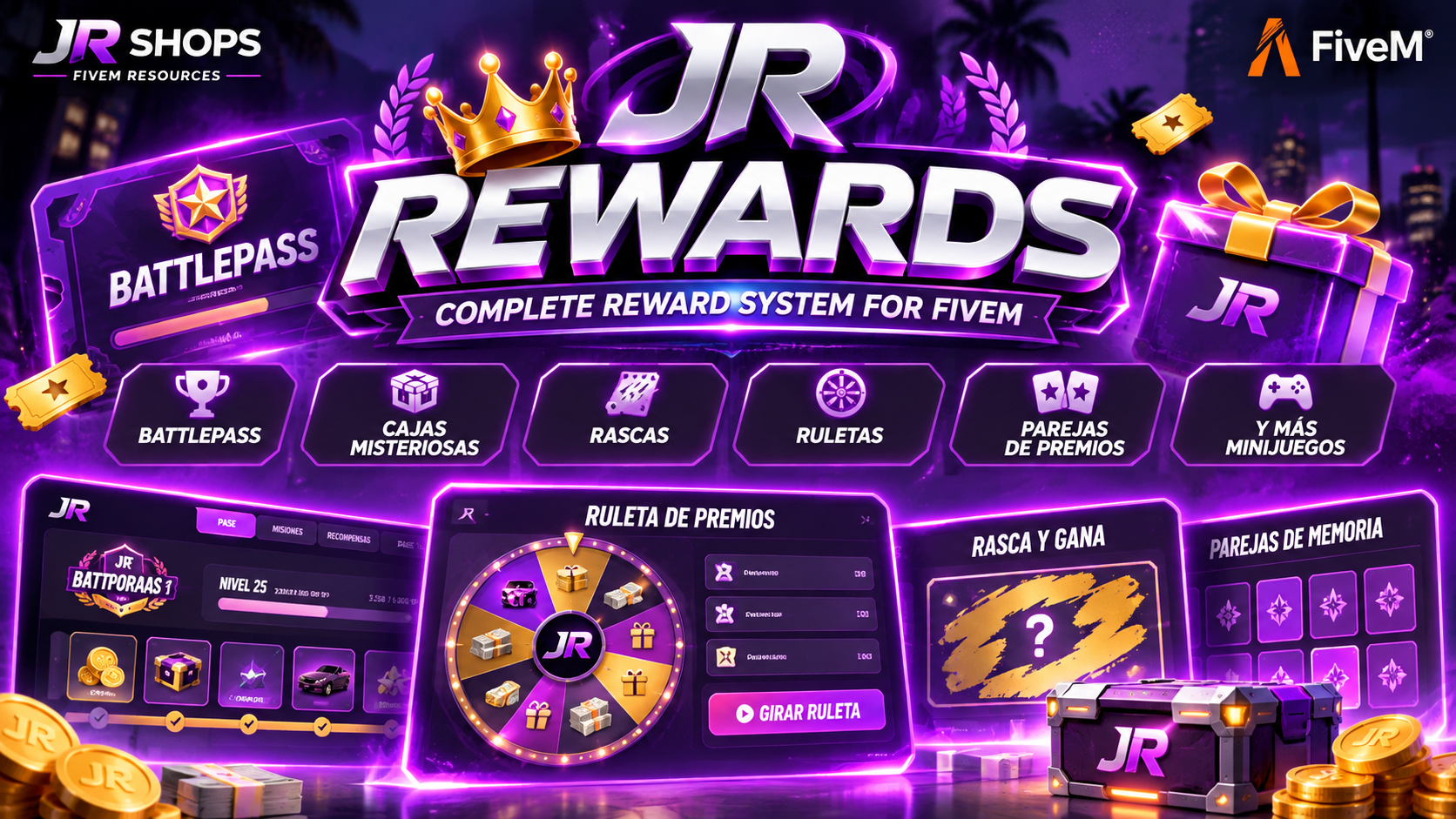
JR REWARDS brings a seasonal BattlePass, mystery boxes, interactive scratch tickets, prize wheels and card games together in one customizable reward system.
Reward time spent in your city, create exclusive products and build a reward catalog around your server’s economy. Players can discover available prizes, collect products, open their rewards and review their personal history through the JR Reward Studio interface.
Create and manage your content directly from the in-game administration panel.
One system. Different ways to earn and discover rewards.
Make every session count
Create seasons with free and VIP reward tracks, configurable playtime requirements and a daily progression limit.
Both tracks follow the player’s earned progression. Players can claim multiple available rewards without waiting another day between claims.
Turn rewards into an opening experience
Create boxes with your own images, prizes, probabilities and rarity settings.
Choose between scrolling reward reels, lid reveals and card presentations. Opening sounds, synchronized ticks and rarity effects give each reveal its own presentation.
Bring scratch tickets into roleplay
Players receive physical, individually serialized tickets in their inventory. Using a ticket starts the character presentation and opens an interactive scratch surface with a coin cursor and scratching sounds.
Configure classic matching symbols, winning numbers with multipliers or three-in-a-row tickets.
Give your reward catalog more variety
Present rewards through an animated prize wheel with product images, sound effects and rarity information.
Memory Match lets players choose two cards, discover matching pairs and continue according to the product’s configured attempt rules.
Build your server’s reward experience
Create tickets that feel like part of your city
Design each scratch product with its own name, image, prizes, probabilities and visual style.
Classic symbols
Reveal the surface and find three matching symbols.
Winning numbers & multipliers
Match your numbers against the winning numbers and reveal configured prize multipliers.
Three in a row
Scratch the nine-cell board and reveal a winning line of X symbols according to the administrator’s rules.
Tickets remain physical inventory items after scratching. Players take them to a configured redemption NPC, where the scanner checks the ticket and displays its result.
Each ticket has a persistent serial number. Redemption checks ownership, possession, location and saved ticket state before processing the reward.
Configure the challenge for each product
Create independent card games with:
- Up to 12 pairs and 24 cards.
- A reward associated with each pair.
- Fixed or weighted pair-reward assignment.
- Limited or unlimited attempts.
- Configurable maximum attempts.
- Optional reshuffling after a failed match.
- Actual server-side changes to card positions.
- Adjustable flip, reveal and shuffle timings.
- Configurable outcome when attempts run out.
- Saved progress when the player closes or resumes the game.
Large cards, 3D flips, shuffle animations and reward presentations complete the experience.
Create, publish and manage your content in-game
The product editor separates existing products from new product creation and organizes configuration into clear steps.
Configure names, descriptions, images, prices, currencies, availability, presentation and rewards. Preview the experience before publishing it.
Administrators can also:
- Duplicate, edit, pause and remove products.
- Configure rewards and probabilities.
- Review purchases, openings and delivered prizes.
- Filter player reward history.
- Manage ticket redemption locations.
- Review interrupted or unconfirmed deliveries.
Removing a product from the catalog preserves previously issued products and their history.
Choose what players can receive
Vehicle rewards can be registered for garage retrieval using the configured vehicle integration.
Custom rewards use registered server handlers, allowing developers to connect additional systems.
Requirements and installation
- Resource name
- JR_Rewards
- Frameworks
- ESX, QBCore and Qbox through JR_Bridge
- Database
- oxmysql
- Required bridge
- JR_Bridge
- Languages
- English and Spanish
- Player command
- /battlepass
- Administration command
- /battlepassadmin
- Compatibility diagnostic
- /bpcompat
- Configuration
- config.lua and in-game administration
- SQL
- Installation and migration files included
- Database setup
- Automatic table creation and migration
- Interface customization
- Editable HTML, CSS, JavaScript and assets
- NPC position checks
- OneSync required
Framework, inventory, garage, JR_Bridge and oxmysql dependencies are installed separately.
Integration through JR Bridge
JR REWARDS uses JR_Bridge for framework access, money operations, inventory interactions, callbacks and notifications.
JR REWARDS → JR_BRIDGE → YOUR SERVER
Inventory integrations must support the operations required by each feature. Physical scratch tickets require unique items, persistent metadata and exact item removal.
Vehicle storage includes integration paths for:
- QBCore / QB Garages.
- Qbox through qbx_vehicles.
- CodeM mGarage.
- Configured ESX vehicle tables.
- Custom vehicle-storage handlers.
Final compatibility depends on the installed provider versions, database structure and JR_Bridge capabilities.
Configure products around your economy
The shop supports configured IC-money and premium-currency profiles, alongside free products and products issued through the BattlePass.
Paid Memory Match uses IC money. In the current version, randomized prize wheels are available as free products; paid wheels require one disclosed, guaranteed reward. Payment rules depend on the selected product type.
Make JR REWARDS fit your server
Customize season names, reward tracks, VIP pricing, product images, currencies, prizes, probabilities, rarities, availability dates, stock limits, ticket styles, NPC locations, card-game rules, opening effects and sounds.
Operational content is managed in-game. Technical integrations remain available through the editable configuration.