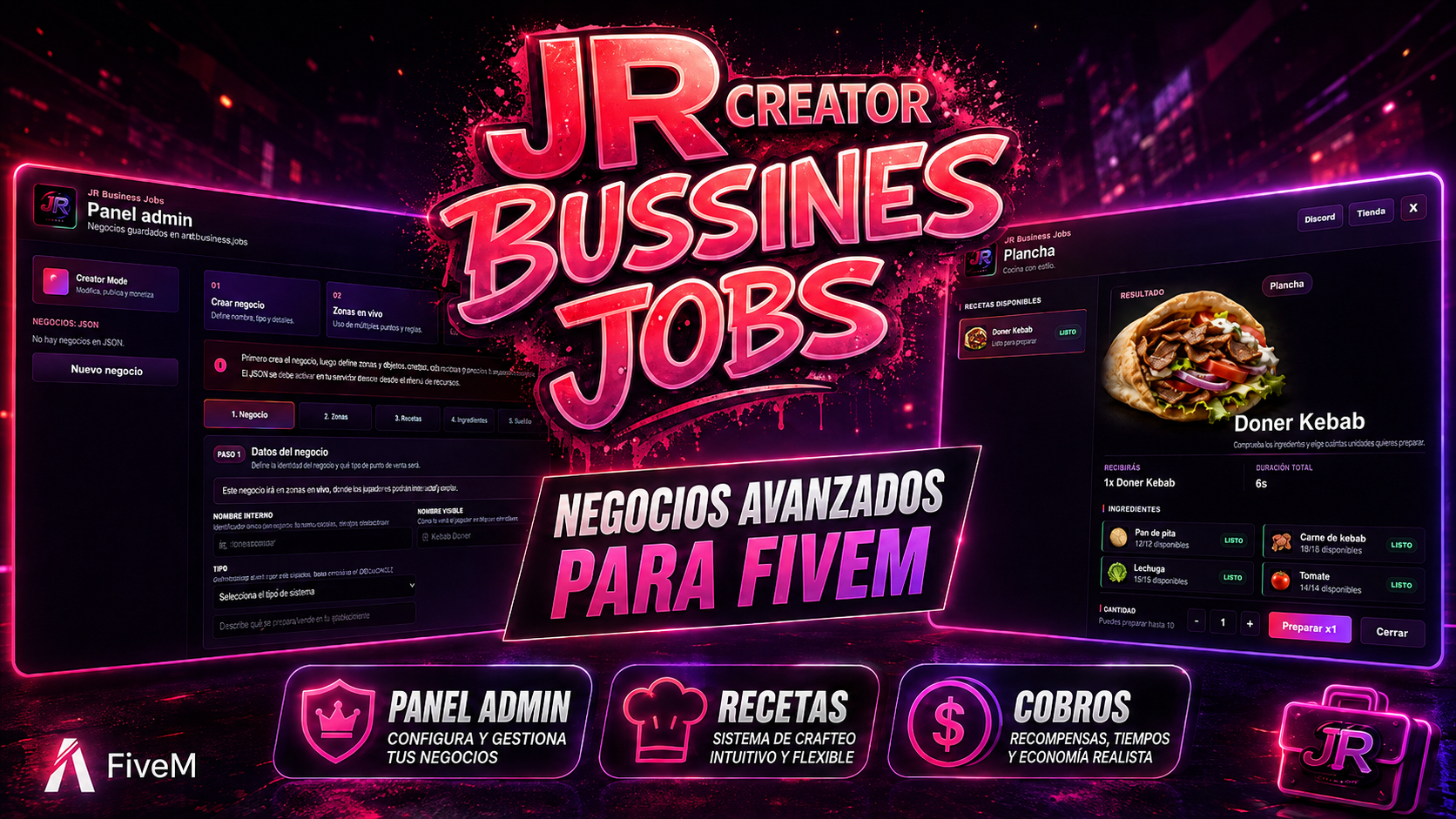
Official trailer · JR Business Jobs
Complete businesses, recipes, storage, orders and payment points created directly in game.
Create restaurants, bars and businesses without editing code
JR Business Jobs turns your server's businesses into complete work experiences with interactive zones, recipes, storage, orders and payment points.
Administrators can create businesses in game: select the job, place zones, configure recipes and ingredients, and update each interaction through a visual panel.
Your whole business in one system
Businesses and zones
Create grills, fryers, bars, cutting stations, storage, packaging and payment points.
Configurable recipes
Define ingredients, quantities, output items, duration, category and preparation station.
Immersive production
Progress bars, batch preparation, station-specific animations and custom props.
Admin panel
Create, edit, duplicate and organize businesses, zones and recipes through an in-game NUI.
Built for complete businesses
Designed for different jobs
Grill
Meat, burgers and hot meals.
Fryer
Fries, nuggets, snacks and fried food.
Cutting station
Ingredient processing and preparation.
Bar and drinks
Cocktails, soft drinks, coffee and hot drinks.
Packaging
Orders, meal deals and finished products.
Storage
Shared inventory for employees.
Payment point
Create and manage invoices.
Complete server-side validation
Before issuing a product, the server checks the actual data. NUI information never replaces these validations.
Requirements and installation
- Framework
- QBCore
- Bridge
- JR_Bridge
- Inventory
- JR_Bridge
- Target
- JR_Bridge
- Progress bar
- JR_Bridge
- Included language
- Spanish
- Database
- Not required
- Persistence
- businesses.json
- Configuration
- Admin panel + config.lua
- Permissions
- QBCore and ACE
- Command
- /jrjobs_admin
- SQL
- Not required
Centralized integration through JR Bridge
JR Bridge connects the script to your framework, inventory, target, notifications, progress bar, society accounts and other systems. Final compatibility depends on the providers supported by the installed version.
Quick setup
- 01Install and configure JR_Bridge.
- 02Place JR-BusinessJobs in your resources folder.
- 03Use this start order:
ensure JR_Bridgeandensure JR-BusinessJobs. - 04Configure administrative permissions through QBCore or ACE.
- 05Open
/jrjobs_adminand create businesses, zones and recipes.
Businesses are saved automatically and loaded again after a server restart.
Adapt it to any business
Configure each work activity from the panel and tailor the experience to your server's economy and identity.